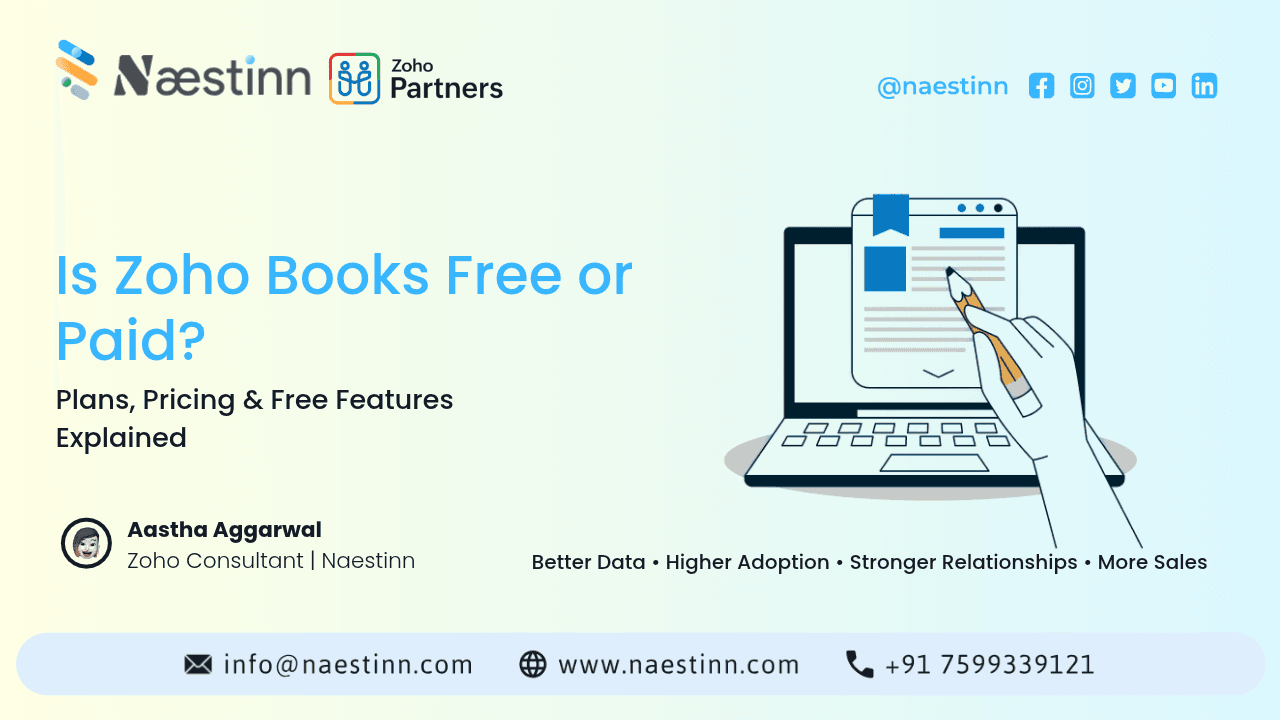
Is Zoho Books Free or Paid? Plans, Pricing & Free Features Explained
Zoho Books offers both a free plan and paid subscription plans, allowing businesses to start with basic accounting features and upgrade as their requirements grow.
The free plan can be suitable for eligible small businesses with relatively simple accounting needs, while paid plans provide additional features such as automation, inventory management, advanced reporting, multiple users, and greater transaction limits.
In this guide, we’ll explain whether Zoho Books is free or paid, what the free plan includes, how the paid plans differ, and which type of business may benefit from each option.
Note: Zoho Books pricing, eligibility, limits, and features can change by country and over time. Businesses should check the latest regional pricing before purchasing.
Introduction
Accounting is an essential part of running a business, but small businesses don't always need expensive accounting software from day one.
Many startups, freelancers, consultants, and small businesses start by managing invoices and expenses manually. As the business grows, however, managing invoices, payments, expenses, taxes, bank transactions, and financial reports through spreadsheets can become difficult.
This is where accounting software such as Zoho Books can help.
A common question businesses ask before getting started is:
"Is Zoho Books free, or do I have to pay for it?"
The short answer is: Zoho Books offers both free and paid plans.
The free plan provides core accounting functionality with certain eligibility requirements and usage limitations. Paid plans provide additional features and higher limits for businesses with more complex accounting requirements.
So, the real question isn't simply whether Zoho Books is free or paid.
It's:
Which Zoho Books plan is appropriate for your business?
Let's take a closer look.
What Is Zoho Books?
Zoho Books is an online accounting and business finance platform designed to help businesses manage their financial operations.
Depending on the plan and region, businesses can use Zoho Books for activities such as:
-
Creating invoices
-
Managing expenses
-
Tracking income
-
Managing customers and vendors
-
Recording payments
-
Bank reconciliation
-
Managing taxes
-
Generating financial reports
-
Managing inventory
-
Automating accounting workflows
-
Collaborating with accountants
Zoho Books is also part of the larger Zoho ecosystem, allowing businesses to connect accounting with other Zoho applications.
For example, a business may use Zoho CRM for sales, Zoho Books for accounting, and other Zoho applications for operations and productivity.
Is Zoho Books Really Free?
Yes, Zoho Books offers a free plan for eligible businesses.
However, "free" does not mean that every Zoho Books feature is available without limitations.
The free plan comes with specific eligibility criteria, user limits, transaction limits, and feature restrictions.
This makes it important to understand what you actually get before deciding whether the free plan is enough for your business.
For a small business with basic accounting requirements, the free plan may provide enough functionality to get started.
For a growing business with higher transaction volumes, inventory requirements, automation needs, or advanced reporting requirements, a paid plan may be more appropriate.
What Does the Zoho Books Free Plan Include?
The exact features and limits can vary depending on the country and Zoho's current plan structure.
Generally, the free version is designed around essential accounting requirements.
Depending on eligibility and the regional plan, businesses can get access to features such as:
1. Invoicing
Create and send professional invoices to customers.
This allows businesses to move away from manually creating invoices in spreadsheets or documents.
2. Expense Tracking
Businesses can record and organize their expenses to maintain better visibility into spending.
3. Customer Management
You can maintain customer information and associate transactions with customers.
4. Vendor Management
Businesses can also maintain vendor information and track relevant transactions.
5. Basic Financial Reports
Accounting software becomes more useful when businesses can turn transaction data into financial information.
Zoho Books provides accounting reports depending on the plan.
6. Online Payments
Depending on the country and supported payment integrations, businesses can connect payment options to make it easier for customers to pay invoices.
7. Bank Reconciliation
Bank reconciliation helps businesses compare recorded transactions with their bank statements and identify differences.
What Are the Limitations of the Free Plan?
The free plan can be useful, but businesses should understand its limitations.
Some common restrictions can include:
-
Limited users
-
Limited transaction volumes
-
Limited automation
-
Fewer advanced features
-
Limited inventory functionality
-
Fewer advanced reports
-
Plan-specific feature restrictions
This means the free plan may work well when your accounting requirements are simple but may become restrictive as your business grows.
For example, imagine a startup has only a few customers and sends a limited number of invoices each month.
The free plan may be sufficient.
But if the company grows to hundreds of customers and requires automated workflows, inventory management, advanced reports, and multiple users, upgrading may become necessary.
Zoho Books Paid Plans
Zoho Books also offers multiple paid plans designed for businesses with different accounting requirements.
The exact plans, prices, features, and taxes vary by country.
For example, Zoho's India plans have historically included different tiers such as:
-
Free
-
Standard
-
Professional
-
Premium
-
Elite
-
Ultimate
Each higher tier generally adds additional functionality, users, automation, reporting, inventory, customization, or other advanced capabilities.
Because Zoho periodically changes pricing and plan structures, businesses should check the current India pricing page before making a purchasing decision.
What Do You Get With Paid Zoho Books Plans?
Paid plans are designed for businesses that need more than basic accounting.
1. Higher Usage Limits
As your business grows, you may create more invoices, expenses, bills, and other transactions.
Paid plans generally provide higher limits than the free plan.
2. More Users
Growing businesses rarely have only one person handling accounting.
You may have:
-
Business owner
-
Accountant
-
Finance manager
-
Sales team
-
Operations team
Paid plans can provide additional user access depending on the subscription.
3. Advanced Inventory Management
If your business sells physical products, inventory management can become an important requirement.
Depending on the plan, Zoho Books can provide more advanced inventory capabilities to help businesses manage stock and related transactions.
4. Automation
Automation can reduce repetitive accounting work.
Businesses may use automation for activities such as:
-
Invoice reminders
-
Recurring invoices
-
Payment reminders
-
Workflow-based actions
-
Transaction processing
The availability and complexity of automation depend on the selected plan.
5. Advanced Reporting
Financial reports can help business owners understand:
-
Revenue
-
Expenses
-
Profitability
-
Outstanding invoices
-
Cash flow
-
Taxes
-
Business performance
Higher plans can provide access to more advanced reporting and analytics capabilities.
6. Customization
Growing businesses often need accounting software to match their processes rather than forcing employees to work around the software.
Paid Zoho Books plans can provide additional customization capabilities depending on the subscription.
Zoho Books Free vs Paid: Quick Comparison
|
Feature |
Free Plan |
Paid Plans |
|
Basic accounting |
✓ |
✓ |
|
Invoicing |
✓ |
✓ |
|
Expense tracking |
✓ |
✓ |
|
Customer management |
✓ |
✓ |
|
Vendor management |
✓ |
✓ |
|
Bank reconciliation |
✓ |
✓ |
|
Basic reports |
✓ |
✓ |
|
Higher transaction limits |
Limited |
✓ |
|
More users |
Limited |
✓ |
|
Advanced automation |
Limited |
✓ |
|
Advanced inventory |
Limited/plan dependent |
✓ |
|
Advanced reporting |
Limited |
✓ |
|
Advanced customization |
Limited |
✓ |
Important: The exact availability of each feature depends on the current Zoho Books plan and your country.
Who Should Use the Free Zoho Books Plan?
The free plan may be worth considering if you are:
A freelancer
If you have a relatively small number of clients and straightforward invoicing requirements, a free accounting solution may be enough to get started.
A new startup
Early-stage businesses often want to minimize software expenses while they validate their business model.
A small service business
Consultants, agencies, freelancers, and other service-based businesses may have relatively simple accounting requirements.
A very small business
If your transaction volume is low and you don't need advanced inventory or automation, the free plan may cover your basic requirements.
Who Should Consider a Paid Zoho Books Plan?
A paid plan may make more sense if your business:
-
Has a growing number of customers
-
Generates a high volume of invoices
-
Needs multiple users
-
Requires advanced reports
-
Manages inventory
-
Needs automation
-
Has more complex accounting processes
-
Needs greater customization
-
Wants additional integrations
The key factor is not simply company size.
Your accounting requirements should determine the plan you choose.
Is Zoho Books Free Enough for a Small Business?
For some small businesses, yes.
If you primarily need basic invoicing, expense tracking, customer management, and accounting functionality, starting with the free plan can help you avoid an unnecessary software expense.
However, you should also consider future growth.
For example, if your business is currently generating 30 invoices per month but expects to generate 300 invoices within a year, selecting a plan based only on today's requirements may not be ideal.
A better approach is to consider both:
Current requirements + expected growth
Is Zoho Books Better Than Using Excel?
Excel or Google Sheets can work for very basic bookkeeping.
But accounting software offers capabilities that spreadsheets don't provide as easily, such as:
-
Automated invoices
-
Payment tracking
-
Bank reconciliation
-
Customer records
-
Financial reports
-
Recurring invoices
-
Tax management
-
Automated reminders
-
Accounting workflows
As the number of transactions increases, dedicated accounting software can make financial management more structured.
How to Choose the Right Zoho Books Plan
Before selecting a plan, ask yourself these questions:
1. How many invoices do you create every month?
If your invoice volume is low, the free plan may be enough.
2. How many people need access?
If several employees, accountants, or finance professionals need access, check the user limits of each plan.
3. Do you manage inventory?
Product-based businesses should pay particular attention to inventory features.
4. Do you need automation?
If your team spends a lot of time sending reminders or performing repetitive accounting tasks, automation may justify moving to a paid plan.
5. Do you need advanced reports?
Businesses that regularly analyze financial performance should compare the reporting capabilities of each plan.
6. Are you already using other Zoho products?
If your business already uses Zoho CRM or other Zoho applications, integration between products may be an important consideration.
Zoho Books for Growing Businesses
One of the advantages of having multiple plans is that a business doesn't necessarily need to purchase the most advanced package from day one.
A company can start with basic accounting requirements and upgrade as its operations become more complex.
For example:
Stage 1:
Startup → Basic accounting and invoicing
Stage 2:
Growing business → More users and transactions
Stage 3:
Established business → Automation, inventory and advanced reporting
Stage 4:
Larger operation → Advanced accounting, customization and broader integrations
This makes it easier for businesses to align their software investment with their operational needs.
Conclusion
So, is Zoho Books free or paid?
Both.
Zoho Books provides a free option for eligible businesses along with multiple paid plans for organizations that need additional users, higher limits, automation, inventory, advanced reporting, customization, and other capabilities.
The free plan can be a practical starting point for freelancers, startups, and small businesses with basic accounting requirements. As the business grows, a paid plan may become more suitable.
Instead of choosing a plan based only on price, businesses should compare:
Number of users + transaction volume + accounting requirements + inventory needs + automation + reporting + future growth.
And before subscribing, always check the latest Zoho Books pricing and feature availability for your country, as plans and pricing can change.
Need help choosing or setting up Zoho Books?
Naestinn can help businesses evaluate their accounting requirements, select an appropriate Zoho Books setup, and assist with Zoho implementation, customization, integration, and support.
Want to know which Zoho Books plan fits your business? Talk to the Naestinn team and discuss your requirements.
Frequently Asked Questions
Is Zoho Books free or paid?
Is Zoho Books completely free?
How long can I use the Zoho Books free plan?
What features are available in the free version of Zoho Books?
Table of Contents
Top Stories

Turn your vision into
scalable reality.
Stop guessing with AI-generated scopes. Get reliable architecture, expert engineering, and a product that scales.